
Solar Energy SystemsSupport for Splendor Solar Panels, inverters, and racking systems. |
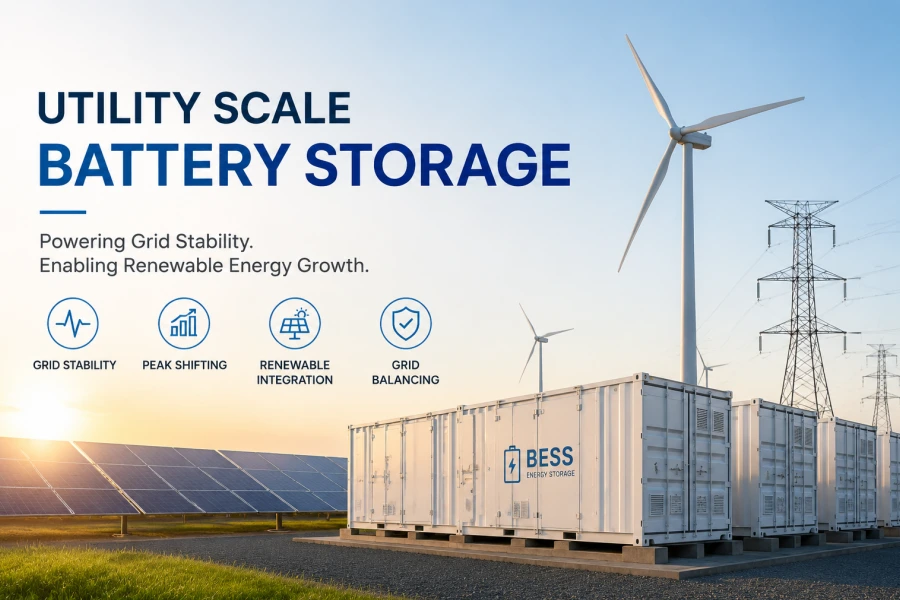
Battery Energy StorageSupport for Splendor Home and Commercial Battery Energy Storage units. |
EV Charging SolutionsSupport for Splendor EV Chargers and charging infrastructure. |
Customer SupportAccess technical support, service requests, and customer assistance. |
Expanded Knowledge Base Categories
Populated Knowledge Base Categories
-
Q: What should I do if my Splendor inverter shows an “Isolation Fault” error code?
-
A: An isolation fault typically indicates a compromise in the DC wiring insulation or moisture ingress within the solar array. First, check all DC connectors, junction boxes, and conduit lines for physical damage or loose fittings. If the issue persists, contact technical support to arrange an insulation resistance test.
-
-
Q: Why is my inverter displaying a grid synchronization error and failing to produce power?
-
A: This error occurs when the local grid voltage or frequency drifts outside of the pre-programmed safety thresholds. Verify that your utility AC breaker is fully engaged. If utility parameters are unstable, the inverter will automatically reconnect once grid conditions normalize.
-
-
Q: How do I properly perform a hard power cycle on a Splendor string inverter?
-
A: To safely power cycle, first turn off the AC breaker, then switch off the DC disconnect switch. Wait approximately 5 to 10 minutes for internal capacitors to fully discharge and the screen to go completely dark. Finally, reverse the sequence by turning on the DC switch followed by the AC breaker.
-
-
Q: What does a blinking red LED status indicator signify on a commercial three-phase inverter?
-
A: A blinking red LED generally points to a non-critical fault or warning condition, such as internal over-temperature, fan failure, or communication loss with the monitoring gateway. Check the local LCD screen or mobile commissioning app for the specific fault text code.
-
-
Q: How can I resolve intermittent communication drops between my inverter and the cloud monitoring portal?
-
A: Verify that your Wi-Fi router or Ethernet/cellular data logger is powered on and has active internet connectivity. If using a wireless connection, check the signal strength indicator; you may need to install an external antenna extension or an industrial signal booster if the inverter is located in a basement or metallic enclosure.
-
-
Q: How often are firmware updates released for Splendor inverters and chargers?
-
A: Splendor periodically releases firmware updates to introduce performance optimizations, enhanced security protocols, and support for updated grid codes. Critical patches are deployed automatically for connected units, while optional feature updates can be requested via the support portal.
-
-
Q: Can I update my device firmware manually without an active internet connection?
-
A: Yes. Certified technicians and system owners can download official, verified firmware packages onto a standard USB flash drive. Insert the drive into the designated port on the inverter or charger following the flashing instructions provided in the release notes.
-
-
Q: What precautions should I take before initiating a firmware update?
-
A: Ensure that the system is operating under stable power conditions and avoid interrupting the power supply or removing the USB drive while the update progress bar is active. Premature interruption can corrupt the bootloader and require hardware replacement.
-
-
Q: Will updating my inverter firmware reset my custom site configurations or power yield data?
-
A: No. Standard over-the-air or manual firmware upgrades are designed to preserve all historical energy yield logs, site-specific grid profile settings, and user account parameters. However, we always recommend backing up your configuration file via the installer portal prior to major version upgrades.
-
-
Q: What should I do if a firmware update fails or freezes halfway through the process?
-
A: Do not power off the device immediately. Wait for at least 15 minutes to see if the system recovers or automatically rolls back to the previous stable backup image. If the device remains unresponsive or displays a boot error, contact technical support immediately with your device serial number.
-
-
Q: What is the standard warranty period for Splendor Solar Inverters and Battery Energy Storage units?
-
A: Splendor commercial and residential inverters standardly include a comprehensive 10-year warranty, which can be extended up to 20 years. Battery energy storage units feature a 10-year capacity retention warranty guaranteeing a defined energy throughput.
-
-
Q: What documentation is required to file a formal warranty claim?
-
A: To expedite your claim, please provide the original proof of purchase, the unique serial number of the defective unit, detailed error logs or diagnostic photos, and contact information for the certified installer who commissioned the system.
-
-
Q: Does the warranty cover labor costs associated with replacement or repair?
-
A: Standard manufacturer warranties cover replacement hardware parts shipped to the site. Labor allowances for certified installer replacement work are included under specific tier-based service level agreements or extended warranty packages.
-
-
Q: How does environmental location or exposure affect the validity of a product warranty?
-
A: Splendor products are rated for specific environmental ingress protection (IP) standards. Units installed in highly corrosive coastal environments or extreme industrial settings require specific anti-corrosion treatment coatings to maintain full warranty coverage, as outlined in our installation manuals.
-
-
Q: Is the product warranty transferable if the property or commercial facility changes ownership?
-
A: Yes, the remaining balance of the Splendor product warranty is fully transferable to the new property owner or facility manager, provided the system remains at its original installed location and is properly registered in our database.
-
-
Q: How can I access, download, or update my commercial subscription invoices?
-
A: You can manage all financial documents, view past transaction histories, and download PDF invoices by logging into your account dashboard and navigating to the “Billing & Subscriptions” tab.
-
-
Q: What payment methods are accepted for Splendor digital services and hardware orders?
-
A: We accept major corporate credit cards, automated ACH transfers, and wire transfers for established commercial accounts. Net-30 payment terms are available subject to credit approval by our finance department.
-
-
Q: Who should I contact if I notice a billing discrepancy on my account statement?
-
A: Please reach out directly to our billing department through the support portal or via the direct ticketing system, ensuring you attach the relevant invoice reference number and details of the disputed charge for a prompt review.
-
-
Q: How do I update my company’s tax exemption status or billing address on file?
-
A: Submit your updated tax exemption certificate (such as a valid resale or government exemption form) along with your new billing address through our secure finance support portal. Our team will verify and update your enterprise profile within 2 business days.
-
-
Q: What happens if a commercial subscription payment fails due to an expired credit card?
-
A: Our automated billing system will send an immediate notification email to the primary account administrator and attempt to reprocess the payment over a 3-day grace period. To avoid temporary service interruption to your cloud monitoring portal, please update your payment method promptly in your dashboard settings.
-